Winter Hunter
General Project Details
Role:
Visual Artist (3D Asset Creator, Animator, Concept Artist)
Team Members:
Chuqiao(Archer) Zhong, Baolati(Peter) Pazel, Yuncheng(Ben) Chen
Tools
Unity, Blender, Photoshop, Clip Studio Paint
Elapsed Time:
3.5 months (January 2024 - April 2024)
Goal:
Game with a minimum of 3 levels with an expected gameplay length of 10-15 minutes.
Overview
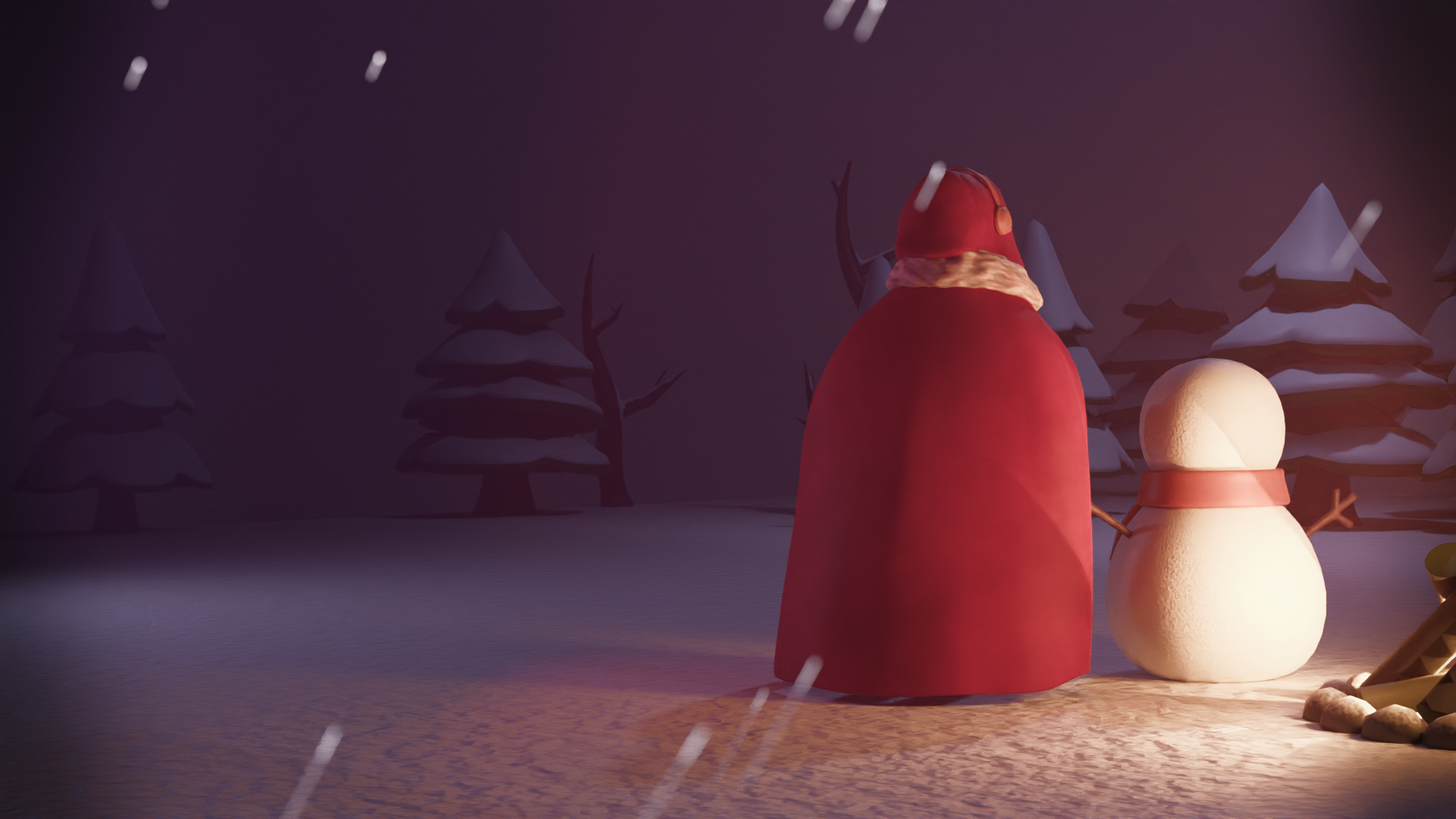
Figure 1 shows the game trailer for Winter Hunter, a game that I produced with my three teammates as the final project for an advanced game design course. As seen in the walkthrough in Figure 2, the game is a single-player, 3rd person top-down 3D shooter set in a fantastical icy environment. The player plays as a young magician who must restore warmth to the world by defeating the tyrannical rulers known as the Firekeepers by throwing small snowballs, rolling large ones, and summoning different snowmen with different specialized abilities to help with their endeavour. My role in the project was centred around creating most of the game assets from concept to preparing them for game implementation in Unity.
Concept Art
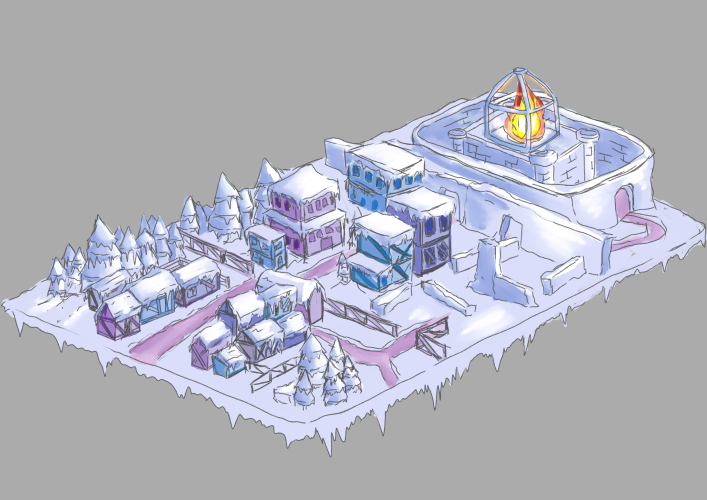
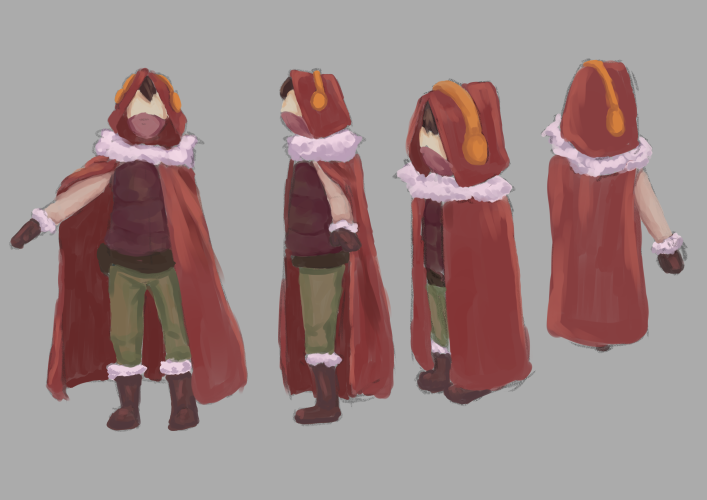
As the visual artist, I was responsible for creating the overall look of the world and communicating that to the team. Through the initial discussions with the team regarding narrative direction, perspective, and setting, the consensus from the team was that the visual style of the assets needed to be quite minimalist and simple in terms of the forms and colours of the models. This allows them to be easily readable from a top-down perspective in a snowy environment, and for an achievable aesthetic to be used consistently across the multitude of assets that need to be produced in a relatively short amount of time. Figures 3 and 4 are the concept art of the snowy environment and the character sheet of the main character used for modelling, respectively.
Modelling
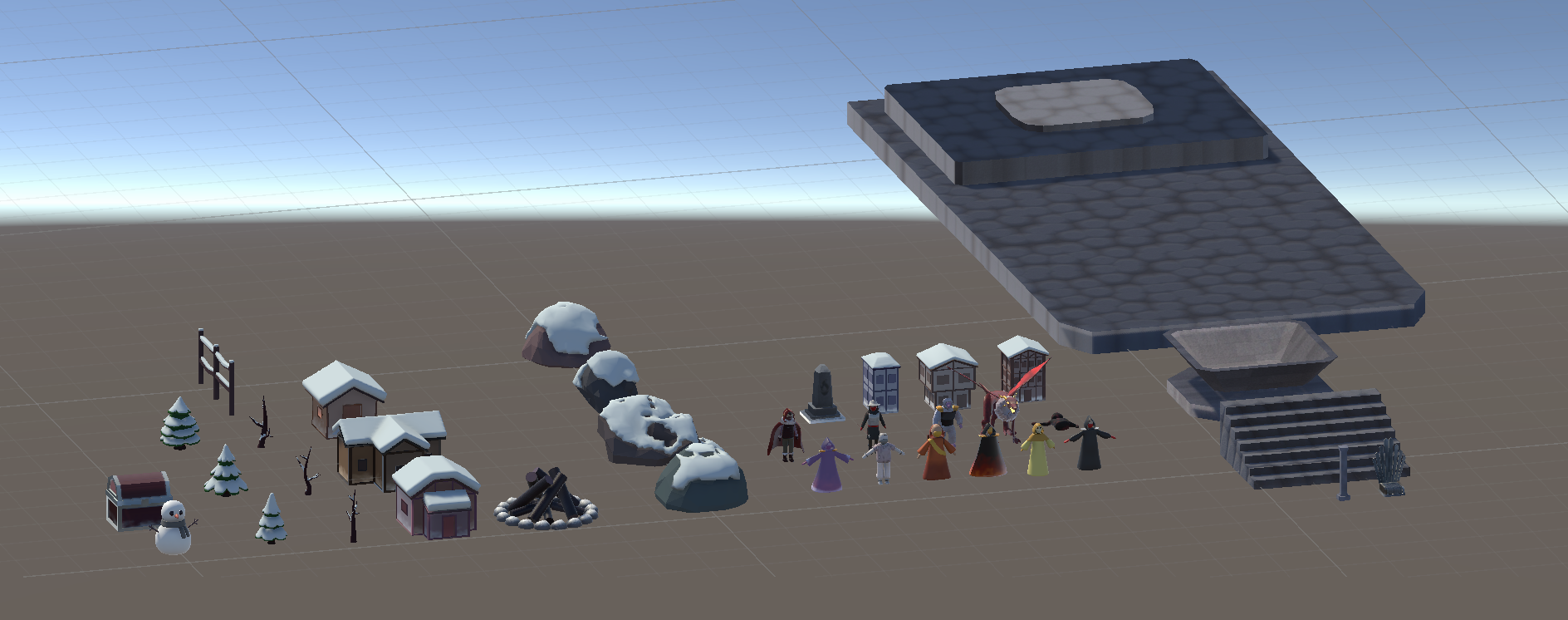
Figure 5 shows an overview of 37 unique assets I modelled for this game using Blender. Of the 26 environmental assets modelled, 8 had multiple versions due to variations in textures. For those assets, their texture maps were baked once, with the diffuse(colour) map set to shades of grey for the relative value differences of the model’s colours. Each variation had a separate material in Unity, and each diffuse map would be duplicated and altered using Photoshop’s gradient map to control the colours.
Rigging
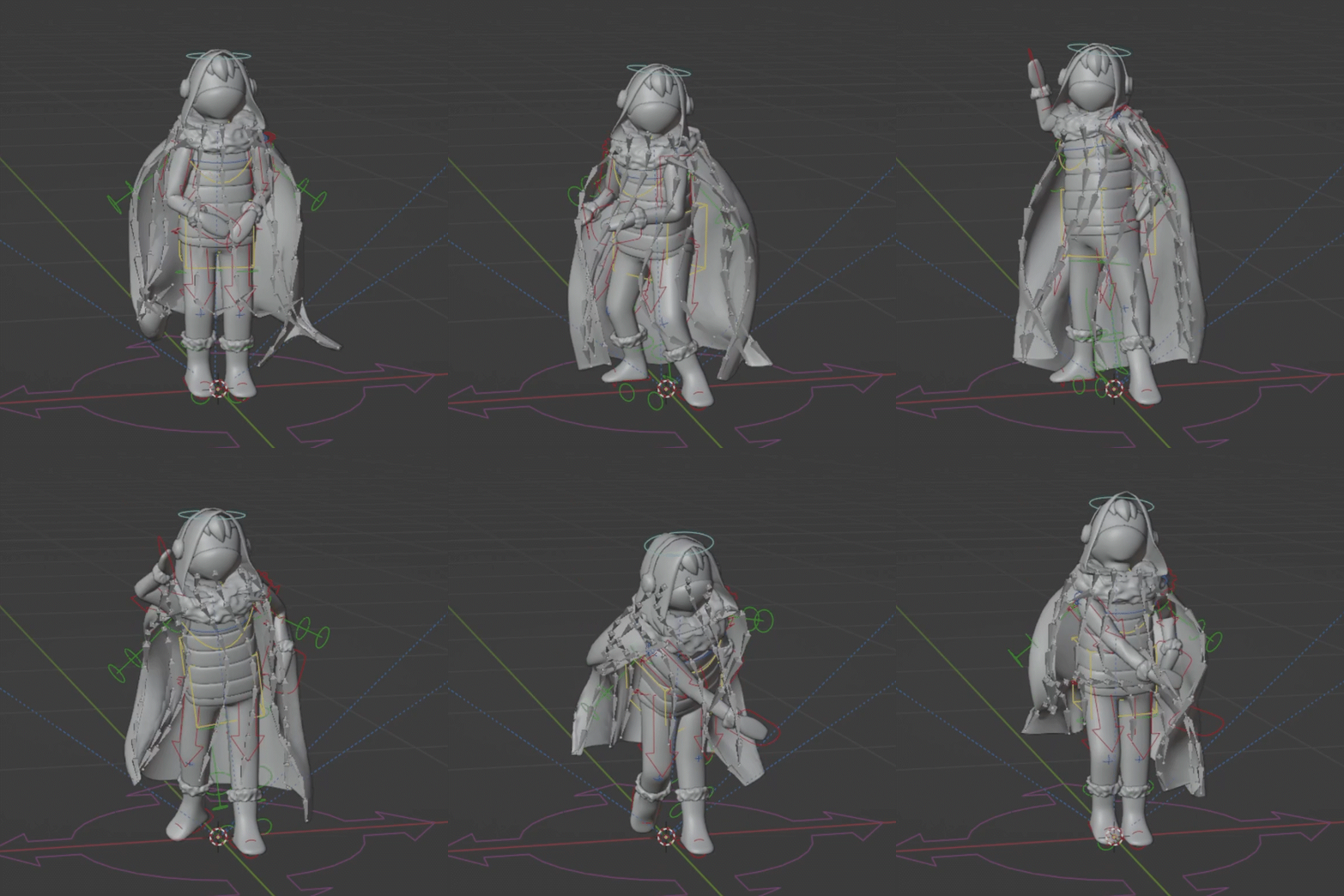
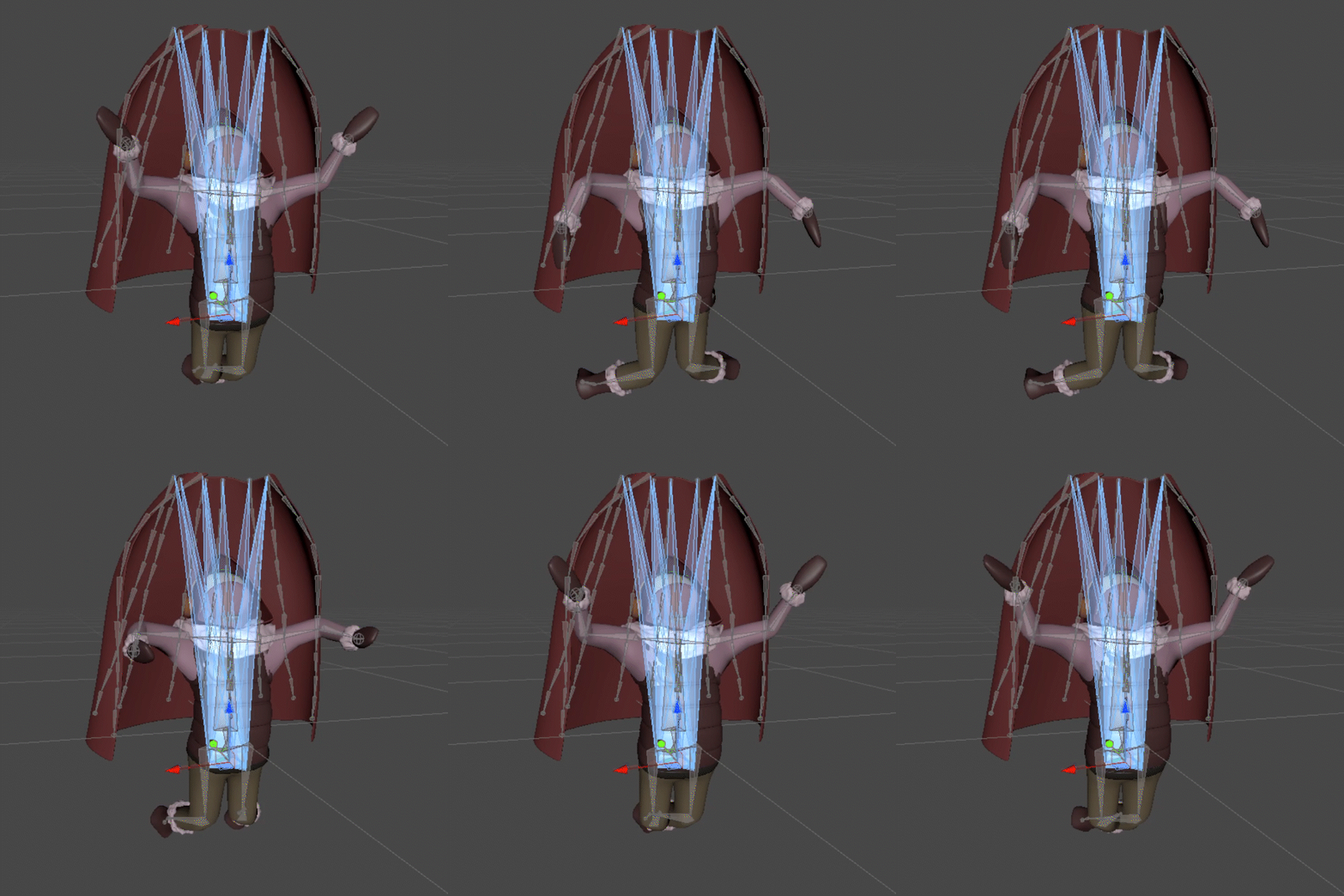
Aside from the environment models, the character assets had to be rigged for animation. I rigged 9 bipedal/humanoid rigs and quadruped primarily using Blender's Rigify plugin. This process came with a few key complications with certain models, like the rig for the cape of the player character. The cape (Figure 6) was rigged with the help of Shteeve's Wiggle 2 addon to simulate the cape collision interaction with the other moving parts of the character when animating in Blender. Unfortunately, this decision meant that, when importing into Unity, the rig could not be designated as a humanoid as the extra bones posed issues with the deformation of the cape, as seen in Figure 7. The humanoid rig would've allowed the masking of animations, reducing the number of animations needed for the character.
Animation
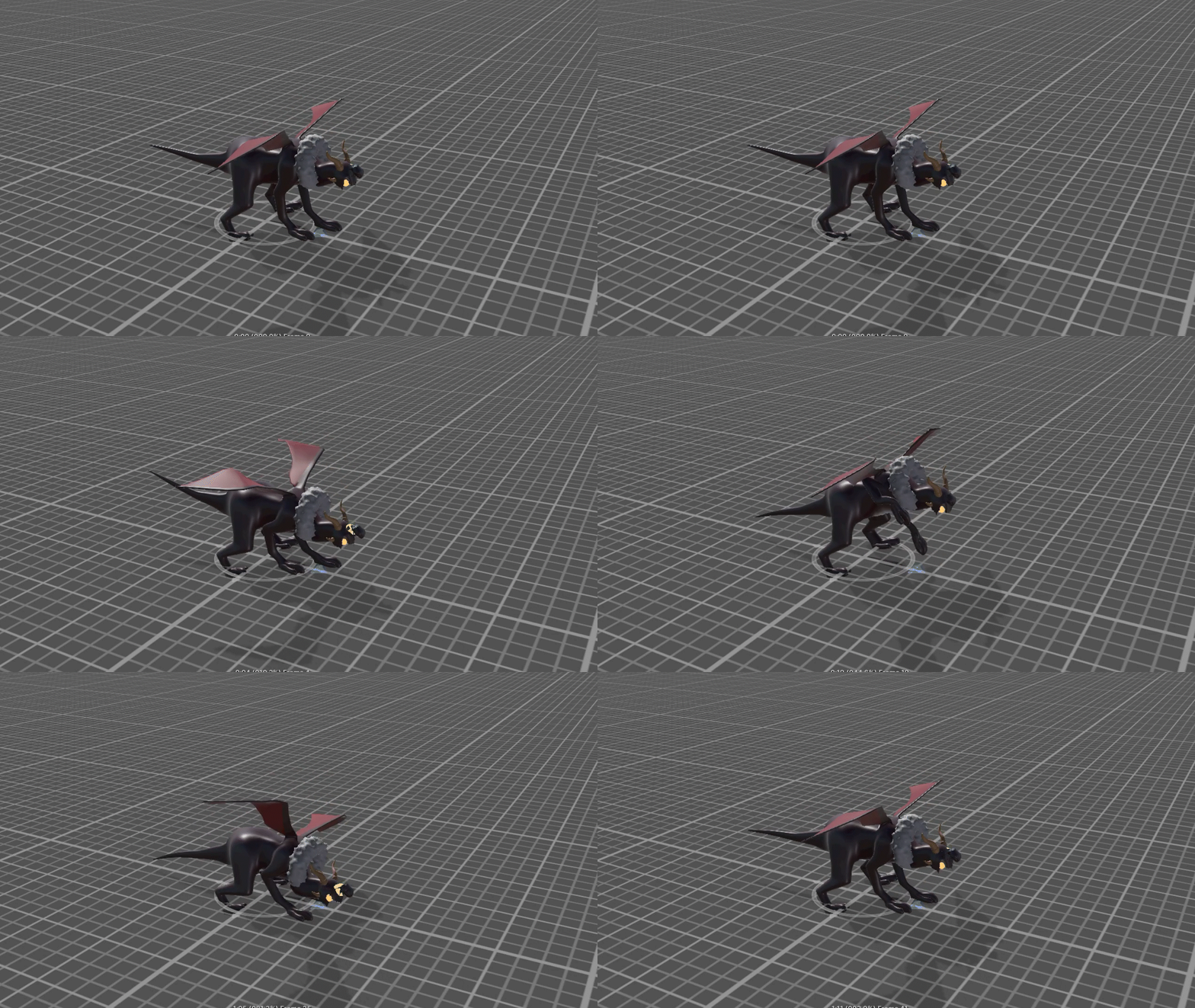
Most characters had a minimum of an idle animation, with the enemies having between 6 and 8 animation clips each (as seen in Figure 8) and the player having around 20 clips needed. For most of these assets, the process proceeded smoothly without many difficulties when importing to Unity. The exception was when importing the dragon with its animations, as there were consistent issues with the animations of the jaw being handled by Unity, as seen in Figure 9. While never completely resolved, after many tweaks to the export settings, the version used in the game only had minimal extra movement in the jaw, which the team viewed as the less egregious issue.
Reflection
This project was valuable because it provided me with experience as a part of a team dynamic in which I had a clearly defined role, which allowed me to practice all aspects of the 3D asset creation pipeline. Being free to work and problem-solve within this specific facet of the project was a refreshing departure from other team projects where I had to split my focus among many fronts. Aside from some of the challenges outlined in earlier sections, one aspect I would change would be my attention to the poly count of the models during their creation. As I was getting used to working through the pipeline and working with powerful computers, the issue of game performance was among my priorities while working. As such, some of the character models were not at the level of optimization ideal for a Unity game. For more information about my process throughout this project, feel free to visit the development blog that I kept for this project.
Additional Information
If you would like to learn more about this specific project, below are some additional resources.
- Individual Dev Log: https://aclee2001.wixsite.com/acl410blog
- Team Dev Log: https://pazelpolat.wixsite.com/overplayer/